Facebook Ads Not Getting Leads? 10 Common Reasons (Aur Seedha Fix)
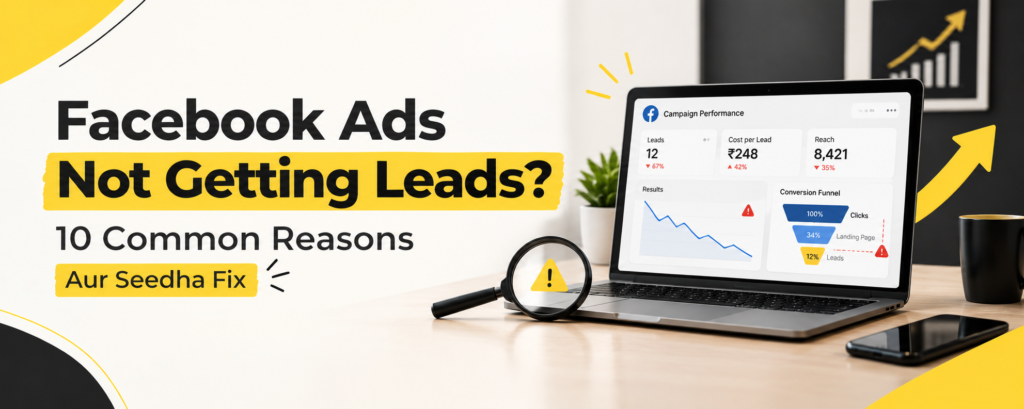
Maan lo Pune ki ek bakery ne Facebook pe ad chalaya. Likes aaye, comments aaye, par order ek bhi nahi. Paisa gaya, leads nahi aaye. Agar aapke saath bhi aisa ho raha hai, toh facebook ads not getting leads ki problem aksar ad ki nahi, setup aur follow-up ki hoti hai. Yahan 10 common wajah hain, har ek ke saath chhota fix. Apna ad account kholo aur ek-ek check karte jao. 10 mein se 2-3 aapke yahan mil hi jaayengi. Facebook ads not getting leads? Pehle setup check karo 1. Boost button. Page se “Boost” dabane par Lead wala option nahi milta. Lead form ke liye ad Ads Manager se banana padta hai. 2. Galat objective. Objective Traffic ya Engagement hoga toh Facebook un logon ko dhundhega jo click ya like karte hain, form bharne wale nahi. Objective “Leads” rakho. Offer, audience aur photo 3. Offer dhundhla hai. “Free consultation” se kuch samajh nahi aata. Seedha likho: kya milega, kitna, kab tak. Jaise, “Is hafte ke pehle 20 orders pe 15% off.” 4. Audience bahut badi ya bahut chhoti. Local dukaan hai toh apne area ke logon ko dikhao. Bahut tight kar diya toh ad kam logon tak jaayega. 5. Wahi ad baar baar. Ek hi photo dekh dekh ke log ignore karne lagte hain. Ads Manager mein frequency badhe, toh nayi photo ya video lagao. Facebook ads clicks but no leads? Click ke baad dekho 6. Form lamba hai. Naam, number aur “aapko kya chahiye”, itna kaafi hai. Meta ka “Higher intent” option leads kam karta hai, par serious log zyada aate hain. 7. Tracking tooti hui hai. Kabhi lead aati hai par aapko dikhti nahi, kyunki form ya Pixel ka connection toot gaya hota hai. Ek test lead khud bharke dekho. Budget aur sabr 8. Budget bahut kam. Meta ki guidance ke hisaab se ek ad set ko ek hafte mein lagbhag 50 results chahiye. Kam budget mein ad “Learning Limited” mein atak jaata hai. 5 ad set mat banao, ek rakho. 9. Roz kuch na kuch badalna. Bade badlav (budget, audience, photo) ke baad Facebook ko dobara seekhna padta hai. Ek badlav karo, phir 2-3 din ruko. Lead aane ke baad ka kaam 10. Follow-up late. Ek purani Harvard Business Review study (2011, US ki 2,241 companies) mein jo firms ek ghante ke andar lead ko contact karti thi, woh der karne walon se lagbhag 7 guna zyada leads qualify kar paayi. India mein baat WhatsApp pe hoti hai. Meta ke mutabik Kantar ki 2025 study mein 91% online adults har hafte kisi business se chat karte hain. (Meta, May 2026) Isliye lead aate hi WhatsApp pe “Namaste, aapka form mil gaya” bhej do. Quick reply pehle se save rakho. Ads ke saath ye chhote tareeke bhi chalao •Festive ya limited-time offer: “Sirf 3 din” jaisa deadline daalo.•Combo deal: do cheez saath mein, thodi sasti.•Referral discount: ek dost laao, dono ko discount.•Google Business Profile: timing, photo aur number sahi rakho, taaki Google pe log aapko dhundh lein.•Loyalty reward: 5th order pe kuch free.•Click to WhatsApp ad: ad pe tap karte hi WhatsApp chat khul jaati hai. FAQs 1.Facebook ads se leads kyun nahi aa rahe? Aksar objective, offer ya follow-up mein gadbad hoti hai. Upar ke 10 points ek-ek karke check karo. 2.Clicks aa rahe hain par lead nahi, kyun? Form lamba ho sakta hai ya offer saaf nahi. Ad aur form ka message ek jaisa rakho. 3.Ad ko impressions kyun nahi mil rahe? Ad approve na hua ho ya account ki spending limit pahunch gayi ho. Ads Manager mein status dekho. 4.Facebook ads ka minimum budget kitna ho? Chhote se shuru kar sakte ho, par bahut kam budget mein Meta ko seekhne ka data nahi milta. 5.Kitne din baad result judge karein? Kam se kam 7 din. Meta ek hafte ke data pe seekhta hai, isliye beech mein bade badlav mat karo.
Diwali WhatsApp Marketing for Small Businesses: Messages, Landing Page and Follow-Ups
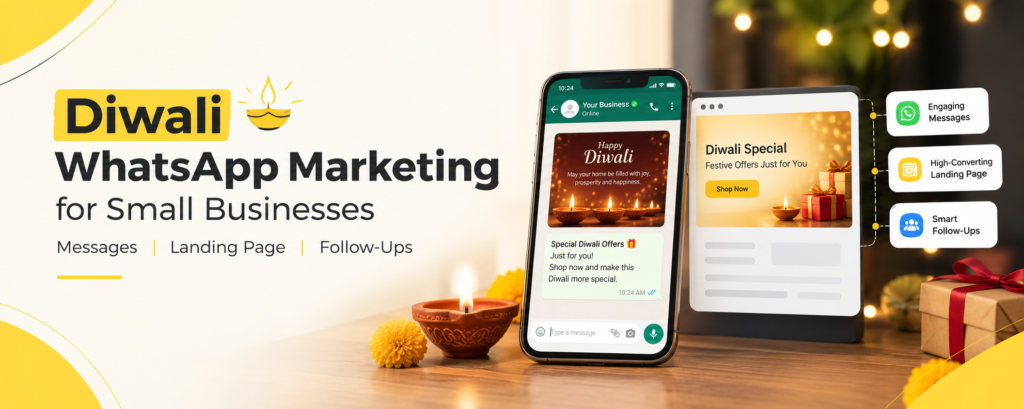
Diwali WhatsApp marketing aapki shop ko festive week mein bhar dene ka sabse tez tareeka hai. Dhanteras 6 November ko hai, yaani sirf do din baad. Aap sweet shop, boutique, home bakery ya gift store chalate hon, plan ek hi hai. Pehle permission lo, phir ek clear offer bhejo, aur sahi time par follow-up karo. Chaliye dekhte hain kaise. Small Business ke Liye WhatsApp Marketing Kyun? Aapke customers pehle se WhatsApp par hain. Meta ke mutabiq, 2025 ki Kantar study mein 91% online adults India mein har hafte businesses se chat karte hain. Dates bahut paas hain, isliye abhi action lo. Dhanteras Friday, 6 November ko hai. Diwali Sunday, 8 November ko hai. Bhai Dooj Wednesday, 11 November ko hai (Economic Times). Consent ke Saath Contact List Banayein Sirf unhi ko message bhejein jinhone haan kaha ho. Meta ki WhatsApp Business policy mein opt-in zaroori hai. Counter par poochiye: “Diwali offers WhatsApp pe bhej dein?” Ya bill aur gift box par QR code laga dijiye. Poochte waqt shop ka naam zaroor bolein: “Sharma Sweets se Diwali offers WhatsApp par chahiye? YES reply karein. Copy Karne Layak 3 Diwali Offer Messages Har message mein ek offer, ek deadline aur ek link rakhein. Offer (Day 0): Namaste Rahul ji! Sharma Sweets ka Diwali special: saare gift boxes par 10% off, 8 Nov tak. Order yahan karein: [link]. Band karne ke liye STOP likhein. Reminder (Day 2, Dhanteras): Rahul ji, aaj Dhanteras hai! Gift boxes par 10% off abhi bhi chal raha hai. Order yahan karein: [link] Thank-you (Day 7, Bhai Dooj):Rahul ji, humare saath Diwali manane ke liye shukriya. Bhai Dooj gift boxes aaj ready hain: [link]. Band karne ke liye STOP likhein. One-Button WhatsApp Landing Page Banayein Aapka link ek simple page par khule: ek offer, kuch saaf photos, price aur ek bada button, “WhatsApp par Order Karein.”Page fast rakhein. Google ki 2017 research ke mutabiq, jo mobile page 3 second se zyada leta hai, usse 53% visitors chhod dete hain. Click-to-WhatsApp link use karein, jisme pehle se message likha ho, jaise “Hi, mujhe Diwali gift box chahiye.” Facebook ya Instagram ads chala rahe hain? Click-to-WhatsApp ad seedha aapki chat khol deta hai. Day 0, Day 2 aur Day 7 Follow-Up Day 0 (5 Nov): offer bhejein. Day 2 (6 Nov, Dhanteras): jinhone reply nahi kiya, unhe reminder dein. Day 7 (11 Nov, Bhai Dooj): buyers ko thank-you bolein aur Bhai Dooj gift idea share karein. Diwali ki bheed mein yeh sab khood se karna thakane wala hai. Yahin Wabacard kaam aata hai. Wabacard Aapke Business ki Kaise Madad Karta Hai Wabacard ek business automation platform hai, “The Future of Business Automation.” Ek chhoti shop ke liye yeh cheezein kaam ki hain: •WhatsApp Automation: conversational bots aur broadcasts aapke liye reply aur offers bhejte hain, toh typing mein kam time lagta hai. •Workflow Builder: apne follow-up steps drag and drop se set karein, jaise buyers ke liye thank-you aur baaki sab ke liye reminder. •Social Media Management: apna Diwali offer apne saare channels par ek hi jagah se publish karein. •Ticket Management: multi-agent support desk se customer sawal organised rakhein. •HRMS aur ATS: team aur hiring badhne par staff aur applicants sambhalein. Aapke follow-ups time par chalte rahenge, sabse busy din par bhi. Common Galtiyan Jo Avoid KareinWabacard Aapke Business ki Kaise Madad Karta Hai •Unhe message bhejna jinhone permission nahi di. •Sab kuch ek saath bhej dena. Nayi Business Platform accounts 24 ghante mein sirf 250 unique customers ko message kar sakti hain (Meta Business Help). •Cost ko ignore karna. Business Platform par Meta har delivered message ka charge leta hai.•Diwali ki raat ko selling karna. Uski jagah ek warm greeting bhejein. FAQs •Kya India mein Diwali WhatsApp marketing allowed hai? Haan, agar logon ne opt-in kiya ho. Meta ki policy mein opt-in aur opt-out ka respect zaroori hai. •Ek saath kitne logon ko message bhej sakte hain? App broadcast list mein 256 contacts aate Hain. Nayi Business Platform accounts 24 ghante mein 250 customers se shuru hoti hain. •Click-to-WhatsApp link kya hota hai? Yeh aapki chat ko ready message ke saath kholta hai. Customer ko pehle aapka number save karne ki zaroorat nahi. •Diwali se pehle kitne messages bhejne chahiye? Do ya teen kaafi hain: ek offer, ek Dhanteras reminder aur ek greeting. •Sabko mera broadcast kyun nahi mila? App broadcast list sirf unhi tak pahunchti hai jinhone aapka number save kiya ho. Unse number save karwayein, phir dobara bhejein. Diwali kisi ka intezaar nahi karti, toh aaj hi apna pehla message bhejein. Follow-ups apne aap chalwane hain? Wabacard ka WhatsApp Automation aur Workflow Builder try karein.
Increase Sales for Small Business: Simple Marketing and Offer Ideas for 2026

A clothing shop in Jaipur runs a “Diwali sale” every year. Customers ask the price, say they will think about it, and leave. The owner spends time on marketing but sales barely move. To increase sales for small business, you need more than a discount. You need a clear offer, a easy way for customers to find you, and quick follow-up. In 2026, small businesses in India can grow with local marketing, WhatsApp, festive bundles, and repeat-customer offers. Start with one clear offer A vague offer does not sell. “Sale on all items” gives customers no reason to act today. Try one of these instead: •Buy two, get one free.•₹200 off on orders above ₹2,000.•Free delivery for orders placed before Sunday.•Refer a friend and both of you get ₹100 off. A Pune bakery could offer “Buy 2 cake boxes, get a free box of cookies until Sunday.” It is specific, easy to understand, and creates urgency. Make your business easy to find Many customers search Google before visiting a shop. Your Google Business Profile should have the correct address, timings, phone number, photos, products, and services. Google says businesses with photos on Search and Maps are 90% more likely to be visited. Ask happy customers for reviews, and reply politely to every review. Use location words on your website and social posts. For example: “AC repair in Kanpur” or “bridal makeup artist in Pune.” This is simple local marketing that brings nearby buyers. Use WhatsApp for follow-up WhatsApp marketing for small business works because customers already use WhatsApp daily. Add customers only with their permission. Send useful messages such as: •New stock alerts.•Order or appointment reminders.•Festival offer updates.•A thank-you message after purchase. WhatsApp Business also supports catalogues, broadcast messages, and UPI payments within chats. Reply quickly. A customer who asks about price or delivery is already interested. Use offers that protect profit Big discounts can bring one-time buyers but reduce your profit. Use smarter sales offers for small business. Offers Why it works Combo deal Combo deal Increases order value Referral reward Brings trusted new customers Loyalty reward Brings customers back Limited-time offer Encourages quick action Free gift with purchase Feels valuable without a big price cut Razorpay recommends using a bundle to increase average order value, along with high-margin products that protect profit Plan for festivals early Diwali, Navratri, and the wedding season are strong sales periods in India. Do not wait until the last week.Create festive offers for small business at least three to four weeks early. A jewellery shop can offer a bridal set consultation. A grocery store can sell ready-made Diwali gift hampers. A salon can offer wedding-season appointment packages.Use WhatsApp, Instagram, and your shop board to promote the same offer everywhere. Follow a simple 30-day plan Week 1: Update your Google Business Profile and collect five reviews.Week 2: Create one clear offer and calculate your profit.Week 3: Send the offer to past customers on WhatsApp.Week 4: Post it on Instagram or Facebook and track enquiries. Start small with ads only if you have a clear offer. Razorpay suggests beginning with a daily budget of ₹200–₹500 on Facebook or Instagram ads targeted to your city or state FAQs How can I increase sales in my small business without ads? Improve your Google Business Profile, ask for reviews, message past customers on WhatsApp, and run a referral offer. Are discounts good for small businesses? Yes, but only when you still make profit. Bundles, limited-time offers, and loyalty rewards are often safer than cutting prices. What is the best marketing for a local shop? Google Business Profile, customer reviews, WhatsApp follow-up, and location-based social media posts. How often should I message customers on WhatsApp? Once or twice a month is enough, plus order updates and appointment reminders. What festive offer should I run? Create a bundle or gift set around what customers already buy, and give it a clear end date.
Meta Ads Not Working? Why Results Dropped in October 2026
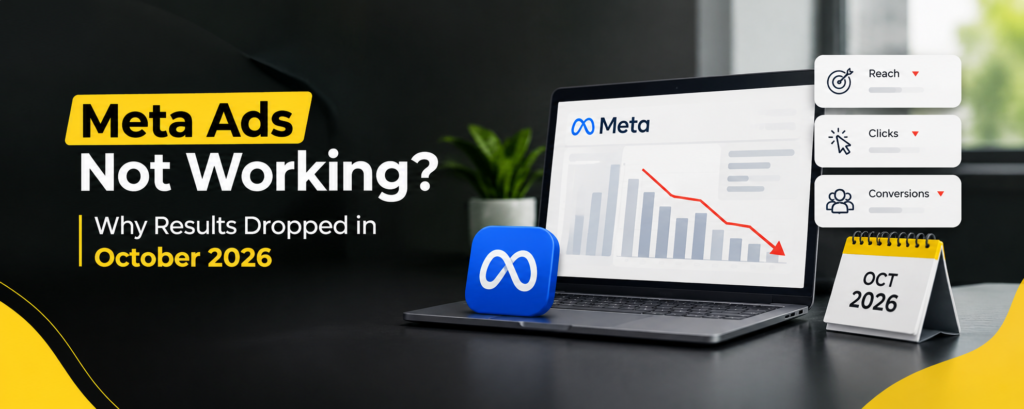
Imagine an Indian advertiser spending the same Meta budget in October as in August and September. The ads are still running, but leads are fewer, cost per lead is higher, and return on ad spend looks weaker.This has led many advertisers to ask why Meta ads are not working in October 2026. Based on verified findings, Meta did make changes in October. India also entered its festive advertising season. But there is no confirmed proof that Meta caused a nationwide performance drop. What changed from August–September to October Meta announced several advertiser-facing changes in October 2026. On 6 October, Meta announced broader AI and automation features at Advertising Week. This included wider availability of Customer Lifecycle Strategy and general availability of static-to-video generation in Advantage+ Creative. (Aurelius Media, 8 October 2026) On 13 October, Meta’s Business Help Center confirmed that Sales, Leads, Engagement and App Promotion campaigns no longer allow ad-set-level manual placement selection. Advertisers can use placement value rules and account-level exclusions instead. (Relevant Audience, 13 October 2026) On 17 October, Facebook, Instagram, WhatsApp and Ads Manager faced an outage lasting more than two hours. Meta said services, including Ads Manager, were restored. (The Daily Star, 19 October 2026) Meta also announced updated Commercial Terms and Self-Serve Ad Terms on 8 October. These were reported to take effect on 30 October. (Unite AI, 17 October 2026) Why costs stayed high October is part of India’s festive advertising period. Navratri ran from 11 to 21 October 2026. Meta’s Festive Accelerator 2026 identifies strong festive demand, with shoppers using Meta weekly and seeking social inspiration before buying. (BW Marketing World, 21 October 2026)More advertisers bidding for the same people can raise CPM. CPM means the cost to show an ad 1,000 times. Industry forecasts expected India CPMs to rise by 30–60% from October to December. This is a forecast, not a confirmed measurement of every Indian account. (upGrowth, 18 September 2026) Factor August-September 2026 October 2026 Festive competition Lower festive pressure Navratri and pre-Diwali demand increased Meta automation Existing tools More Advantage+ Creative and AI-assisted campaign features announced Manual placements Available for Sales, Leads, Engagement and App Promotion Removed at ad-set level from 13 October Platform stability Platform stability No confirmed October-wide issue Ads Manager outage on 17 October Ads Manager outage on 17 October Verified India CPM benchmark Not found Not found Why results dropped There is no confirmed evidence that Meta changed its auction algorithm or attribution windows in October 2026. No official Meta announcement of an “Andromeda” update or India-wide delivery problem was found. However, three confirmed factors could affect results: •Festive competition: More advertisers compete during Navratri and the run-up to Diwali. •Placement changes: Sales, Leads, Engagement and App Promotion campaigns lost ad-set-level manual placement controls. •Platform disruption: The 17 October Ads Manager outage may have affected reporting or delivery for some advertisers during that period. Meta also requires Conversions API value signals for “Maximize Value of Conversions.” From April 2026, new qualified-leads campaigns needed Conversions API integration, with existing campaigns affected from August 2026. (Meta Business Help Center) What advertisers are reporting (not confirmed) Some advertisers on Reddit reported higher CPMs, fewer conversions, and weaker performance from late September into October. These posts are anecdotal. They show concern, but they do not prove that Meta changed its system for all Indian advertisers. No credible India-specific benchmark comparing August–September and October 2026 CPM, CPC, CPA, or ROAS was found. How to fix Meta ads 1.Check the Delivery column. Look for “Learning,” “Learning limited,” “Review,” or “Error.” 2.Review recent edits. Budget, audience, creative, bid, or optimization changes can restart learning. 3.Compare CPM and CTR. If CPM rose but CTR stayed the same, auction competition may be the issue. If both fell, review creative and audience. 4.Check Events Manager. Review Pixel and Conversions API event volume, duplicates, and Event Match Quality. 5.Review placements. Compare Reels, Feed, Stories, and Advantage+ placements by cost per result. 6.Check Account Quality. Look for rejected ads, restrictions, or policy issues before the 30 October terms update. FAQs Why are my Meta ads not working in October 2026? Confirmed reasons include festive competition, Meta’s placement changes, and a 17 October Ads Manager outage. A nationwide performance drop is not confirmed. Did Meta change its algorithm in October 2026? No official confirmation of an October algorithm or Andromeda change was found. Why are Facebook ads expensive in India now? Navratri and the pre-Diwali period increase advertiser competition. Forecasts expected CPMs to rise 30–60% from October to December. Did GST increase Meta ad costs? No. Indian Meta ad accounts have been billed in INR with 18% GST and TDS since 2018. What is a good first step? Check the Delivery column, recent edits, CPM, CTR, and Events Manager before changing budgets. Should I stop ads during the festive season? Not necessarily. First identify whether the issue is higher CPM, weaker creative response, tracking, or account restrictions. Closing If Meta ads are not working for you this October, check your account data before assuming Meta changed everything. Review delivery, placements, tracking, and festive CPMs and adjust based on evidence.
WhatsApp Business API: Complete Guide for Indian Businesses (2026)
A customer messages at 9 pm. Nobody replies. By morning, they’ve bought from a competitor.That’s the real cost of running sales and support on the regular WhatsApp Business app, especially once enquiries cross a few dozen a day. The WhatsApp Business API fixes this. Here’s how it works for Indian businesses, what it costs in 2026, and whether you actually need it. What is the WhatsApp Business API? The app is free and lives on one phone. The API, officially the WhatsApp Business Platform, has no app screen at all. You connect it through a Business Solution Provider (BSP) and plug it into your CRM, website and chatbot. Who needs a WhatsApp API for business? Not every shop. A kirana with 10 chats a day is fine on the app.You need the API if you get 50+ enquiries daily, run a support team, send order updates or broadcast offers. COD confirmation ka jhanjhat kam ho jaata hai, honestly. Key features •Broadcasts to opted-in customers•WhatsApp chatbot for business: FAQs, lead capture, bookings•In-chat product catalog•Shared inbox for multiple agents•WhatsApp automation for business: order, payment and appointment updates WhatsApp Business API cost in India (2026) Old guides talk about conversation-based pricing. Outdated. Since 1 July 2025, Meta bills per delivered template message Category Category Approx. India rate Marketing ₹0.8631 Utility ₹0.115 Authentication ₹0.115 Service (customer writes first) Free in 24 hours Marketing rose about 10% in January 2026. Rates move, so verify on Meta’s pricing page. Your BSP adds its own fee, which is why you should compare providers like Gupshup, Interakt, AiSensy and wabacard.Detailed numbers: WhatsApp API pricing India 2026. WhatsApp API setup in India 1.Choose a BSP and sign up.2.Link your Meta Business Portfolio.3.Complete Business Verification with GST or incorporation documents.4.Register a number not already on WhatsApp.5.Get templates approved, then go live.Skip verification and you’re capped at 250 unique contacts a day. Verified businesses start at 2,000, and tiers rise automatically with usage and quality. Compliance basics •Opt-in: message only people who agreed.•24-hour window: free-form replies within 24 hours of the customer’s last message. After that, templates only.•Template approval: Meta reviews every one. Promotions filed as utility get rejected.DLT is for SMS, not WhatsApp. See Meta’s Business Help Center for current rules. Use cases •D2C: WhatsApp marketing automation for cart recovery and shipping updates•Healthcare: a Bangalore clinic chain confirming appointments•Education: admission enquiries and fee reminders•Real estate: instant site-visit booking for portal leadsType your paragraph here Why wabacard Setup confuses most people, so we help with verification and template approval. Chatbot features and the inbox sit in one dashboard, and pricing is upfront. FAQs What is WhatsApp Business API? Also called the WhatsApp Business Platform. It lets businesses talk to customers at scale and connect WhatsApp with CRMs, chatbots and websites. Is WhatsApp Business API free in India? No. Meta’s message charges and your BSP’s fees apply. Check current pricing first. App vs API: what's the difference? The app suits manual chats. The API suits automation, CRM integration and multiple agents. Can I use it for lead generation? Yes. Qualify opted-in leads, automate follow-ups and hand over to sales. Can I integrate it with my CRM? Yes, for leads, conversations, notifications and workflows. Is it suitable for small businesses? Depends. Few chats? The app is enough. Need automation or a team inbox? Go API.